


Reposted by Paulo

Our next major update is here — and it’s got glass in it.
Yep, that glass. Non-solid, lowercase-G glass. It works right out of the box (as all glass should?) but you can also tweak every parameter. It’s a lot of fun.
And that’s not all! ↓
Yep, that glass. Non-solid, lowercase-G glass. It works right out of the box (as all glass should?) but you can also tweak every parameter. It’s a lot of fun.
And that’s not all! ↓
August 20, 2025 at 1:07 PM
Our next major update is here — and it’s got glass in it.
Yep, that glass. Non-solid, lowercase-G glass. It works right out of the box (as all glass should?) but you can also tweak every parameter. It’s a lot of fun.
And that’s not all! ↓
Yep, that glass. Non-solid, lowercase-G glass. It works right out of the box (as all glass should?) but you can also tweak every parameter. It’s a lot of fun.
And that’s not all! ↓
Grouped layers will still have pins, as long as you’re in a Frame context, I’m afraid. But, whatever works for you! I’m sorry it’s not exactly what you’d hoped. We’re still here to try to help.
August 4, 2025 at 8:46 PM
Grouped layers will still have pins, as long as you’re in a Frame context, I’m afraid. But, whatever works for you! I’m sorry it’s not exactly what you’d hoped. We’re still here to try to help.
My recommendation is:
1. Keep the default pins, and adjust as needed to keep layers pinned or centered.
2. If you must resize a frame without adjusting any of its contents, hold ⌘ while dragging to resize— or enter edit mode with ⌘-Enter then resize in any way.
1. Keep the default pins, and adjust as needed to keep layers pinned or centered.
2. If you must resize a frame without adjusting any of its contents, hold ⌘ while dragging to resize— or enter edit mode with ⌘-Enter then resize in any way.
August 4, 2025 at 7:40 PM
My recommendation is:
1. Keep the default pins, and adjust as needed to keep layers pinned or centered.
2. If you must resize a frame without adjusting any of its contents, hold ⌘ while dragging to resize— or enter edit mode with ⌘-Enter then resize in any way.
1. Keep the default pins, and adjust as needed to keep layers pinned or centered.
2. If you must resize a frame without adjusting any of its contents, hold ⌘ while dragging to resize— or enter edit mode with ⌘-Enter then resize in any way.
I get that!
Why I’m puzzled is because in this same example, if you first unpin the layer, and then adjust its parent’s padding, the layer will still move.
I don’t understand how unpinning helps you here, if your goal is to avoid that layer staying put? How does that avoid issues for you?
Why I’m puzzled is because in this same example, if you first unpin the layer, and then adjust its parent’s padding, the layer will still move.
I don’t understand how unpinning helps you here, if your goal is to avoid that layer staying put? How does that avoid issues for you?
August 4, 2025 at 7:40 PM
I get that!
Why I’m puzzled is because in this same example, if you first unpin the layer, and then adjust its parent’s padding, the layer will still move.
I don’t understand how unpinning helps you here, if your goal is to avoid that layer staying put? How does that avoid issues for you?
Why I’m puzzled is because in this same example, if you first unpin the layer, and then adjust its parent’s padding, the layer will still move.
I don’t understand how unpinning helps you here, if your goal is to avoid that layer staying put? How does that avoid issues for you?
I get that, and we’ve got ways to do it (hold ⌘ when resizing). But how does remove pinning fully help when you need to expand the boundaries of a frame? That’ll only make everything be proportionally repositioned.
August 4, 2025 at 4:42 PM
I get that, and we’ve got ways to do it (hold ⌘ when resizing). But how does remove pinning fully help when you need to expand the boundaries of a frame? That’ll only make everything be proportionally repositioned.
Hi Yann! I’m a bit puzzled by why you’d need to remove pins from elements to make resizing predictable? With the (new) default of top-left pins and fixed size, resizing a frame shouldn’t send everything to hell — quite the opposite, in fact.
Could you perhaps show me what you’re experiencing?
Could you perhaps show me what you’re experiencing?
August 4, 2025 at 10:19 AM
Hi Yann! I’m a bit puzzled by why you’d need to remove pins from elements to make resizing predictable? With the (new) default of top-left pins and fixed size, resizing a frame shouldn’t send everything to hell — quite the opposite, in fact.
Could you perhaps show me what you’re experiencing?
Could you perhaps show me what you’re experiencing?
who at WhatsApp thought it was a good idea to start a voice chat by scrolling down when at the bottom of the chat
what a silly interaction, but I'm sure the metrics on new voice chats will be great
what a silly interaction, but I'm sure the metrics on new voice chats will be great
July 12, 2025 at 5:16 PM
who at WhatsApp thought it was a good idea to start a voice chat by scrolling down when at the bottom of the chat
what a silly interaction, but I'm sure the metrics on new voice chats will be great
what a silly interaction, but I'm sure the metrics on new voice chats will be great
now in beta:
🫨 progressive blur
🔍 liquid glass
🎯 concentric corners
🫨 progressive blur
🔍 liquid glass
🎯 concentric corners
That glass you’ve all been talking about? It’s available now in our latest beta. Take it for a spin and let us know what you think! And that’s not all… 🧵↓
June 26, 2025 at 4:19 PM
now in beta:
🫨 progressive blur
🔍 liquid glass
🎯 concentric corners
🫨 progressive blur
🔍 liquid glass
🎯 concentric corners
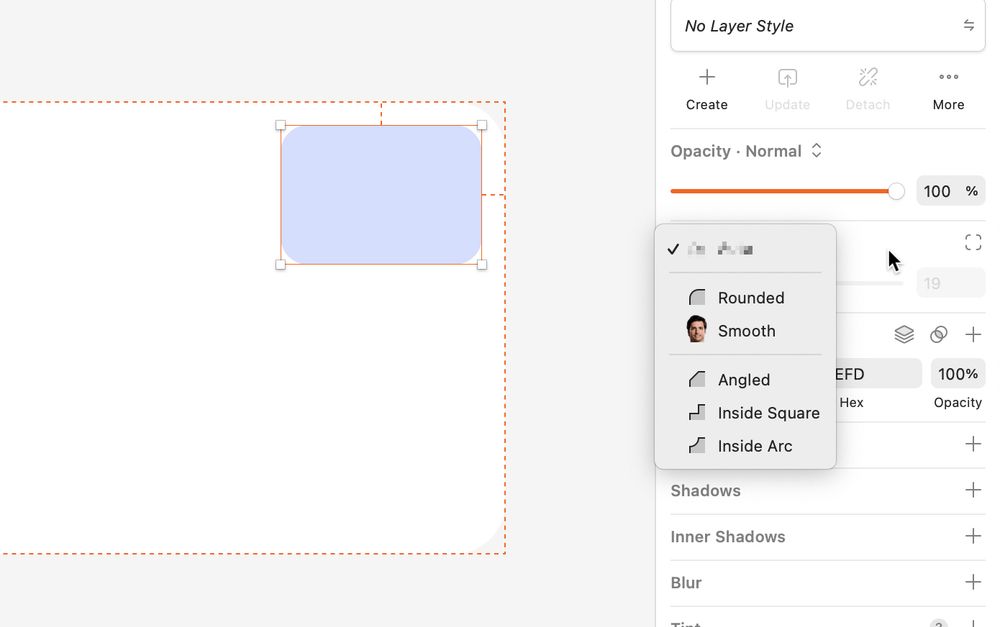
when sharing a photo/link via text on the iPhone, I need a "send and continue texting" feature to switch to messages/whatsapp/etc after sharing to keep texting
May 27, 2025 at 10:56 PM
when sharing a photo/link via text on the iPhone, I need a "send and continue texting" feature to switch to messages/whatsapp/etc after sharing to keep texting
bonus: figured it’d be fun to share this internal doc I wrote early last year, long before we’d started building frames — stuff takes time to brew
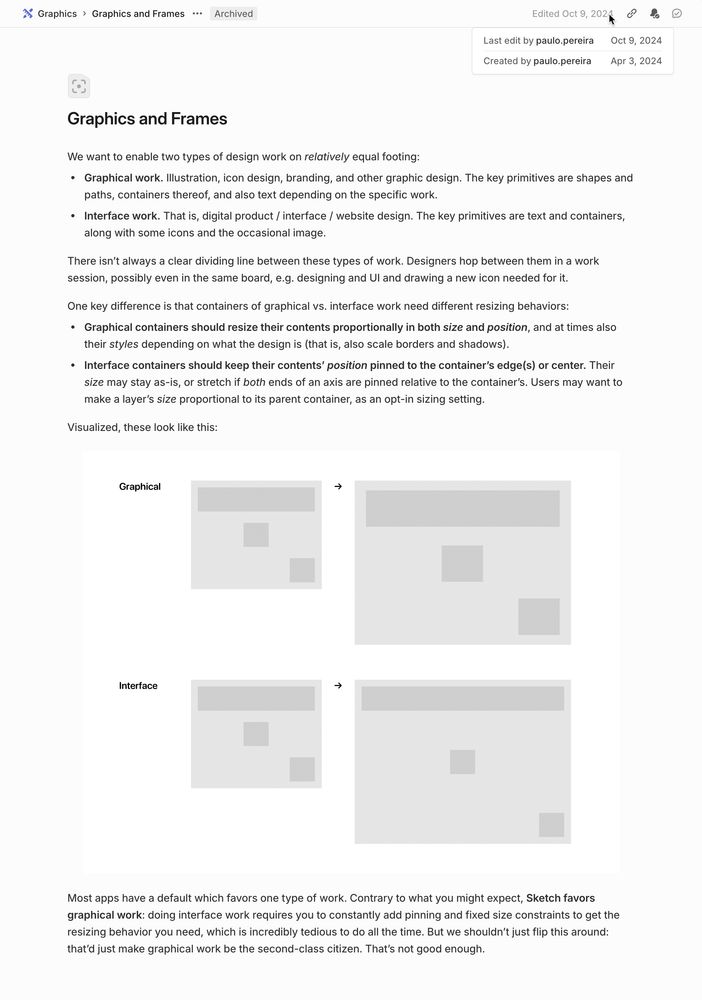
May 27, 2025 at 6:03 PM
bonus: figured it’d be fun to share this internal doc I wrote early last year, long before we’d started building frames — stuff takes time to brew
I wrote a not-so-short guide to all things frames and graphics (and groups!) which you can read at sketch.com/blog/frames
Or watch this lovely overview from @rafa.design: www.youtube.com/watch?v=_nB...
Or watch this lovely overview from @rafa.design: www.youtube.com/watch?v=_nB...

New in Sketch (2025): Frames and Graphics — walkthrough guide
In our Athens update, we’ve added two new container types to Sketch — Frames and Graphics. Take a quick walk through how they work with Rafa.Grab the update ...
www.youtube.com
May 27, 2025 at 6:03 PM
I wrote a not-so-short guide to all things frames and graphics (and groups!) which you can read at sketch.com/blog/frames
Or watch this lovely overview from @rafa.design: www.youtube.com/watch?v=_nB...
Or watch this lovely overview from @rafa.design: www.youtube.com/watch?v=_nB...
In practice:
• Frames “give” sizing and pinning properties (and defaults) to their contents, and adjust them when resized based on those props.
• Graphics have none of that, they simply resize proportionally.
Each creates a context and environment that suits its type of work.
• Frames “give” sizing and pinning properties (and defaults) to their contents, and adjust them when resized based on those props.
• Graphics have none of that, they simply resize proportionally.
Each creates a context and environment that suits its type of work.
May 27, 2025 at 6:03 PM
In practice:
• Frames “give” sizing and pinning properties (and defaults) to their contents, and adjust them when resized based on those props.
• Graphics have none of that, they simply resize proportionally.
Each creates a context and environment that suits its type of work.
• Frames “give” sizing and pinning properties (and defaults) to their contents, and adjust them when resized based on those props.
• Graphics have none of that, they simply resize proportionally.
Each creates a context and environment that suits its type of work.
We didn’t just want to flip that around — as we designed frames purposely for interface work, it was very important for us to give icon designers a space to work in, unencumbered by what makes frames, well, frames.
That’s what graphics are: a container for doing graphical work.
That’s what graphics are: a container for doing graphical work.
May 27, 2025 at 6:03 PM
We didn’t just want to flip that around — as we designed frames purposely for interface work, it was very important for us to give icon designers a space to work in, unencumbered by what makes frames, well, frames.
That’s what graphics are: a container for doing graphical work.
That’s what graphics are: a container for doing graphical work.
Our goal is for *interface work* and *graphical work* (icon, illustration) to both feel like first-class citizens — but their mechanics are quite distinct.
Contrary to what you’d expect, Sketch has always favored graphical work, due to its roots as a general-purpose vector tool.
Contrary to what you’d expect, Sketch has always favored graphical work, due to its roots as a general-purpose vector tool.
May 27, 2025 at 6:03 PM
Our goal is for *interface work* and *graphical work* (icon, illustration) to both feel like first-class citizens — but their mechanics are quite distinct.
Contrary to what you’d expect, Sketch has always favored graphical work, due to its roots as a general-purpose vector tool.
Contrary to what you’d expect, Sketch has always favored graphical work, due to its roots as a general-purpose vector tool.
In today’s @sketch.com update, we’ve added Frame as a container type, which is a long overdue no-brainer — but we’ve also added a Graphic container.
Graphics aren’t the standout in this update, but to me they’re the most interesting story to tell. So, here’s why graphics exist 🧵
Graphics aren’t the standout in this update, but to me they’re the most interesting story to tell. So, here’s why graphics exist 🧵
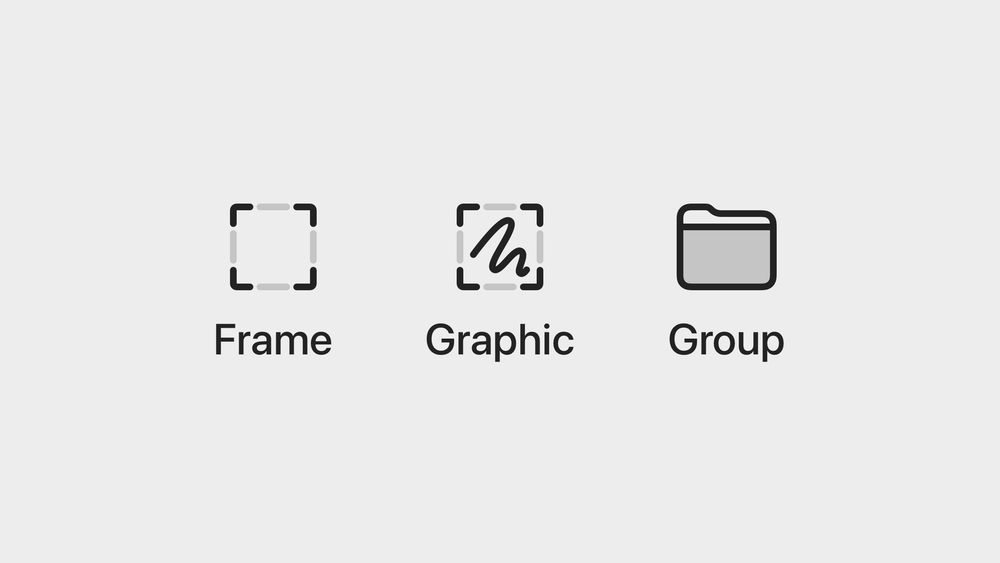
May 27, 2025 at 6:03 PM
In today’s @sketch.com update, we’ve added Frame as a container type, which is a long overdue no-brainer — but we’ve also added a Graphic container.
Graphics aren’t the standout in this update, but to me they’re the most interesting story to tell. So, here’s why graphics exist 🧵
Graphics aren’t the standout in this update, but to me they’re the most interesting story to tell. So, here’s why graphics exist 🧵
we’re making the product better for our customers, and we’re doing so at a higher pace now than in the recent past
our only goal is to keep doing that and be a sustainable business, not to to be the biggest or have the most
our only goal is to keep doing that and be a sustainable business, not to to be the biggest or have the most
May 27, 2025 at 4:49 PM
we’re making the product better for our customers, and we’re doing so at a higher pace now than in the recent past
our only goal is to keep doing that and be a sustainable business, not to to be the biggest or have the most
our only goal is to keep doing that and be a sustainable business, not to to be the biggest or have the most
a lot of people are saying nobody’s ever been this back
Remember when we said auto layout was coming to Sketch? It’s here. It’s called Stacks, and it’s part of our biggest release ever — out now.
There’s a lot to cover, so buckle up and we’ll take you on a tour.
Also, stick around for a surprise at the end of the thread. 👀
Let’s go ↓
There’s a lot to cover, so buckle up and we’ll take you on a tour.
Also, stick around for a surprise at the end of the thread. 👀
Let’s go ↓
May 27, 2025 at 2:37 PM
a lot of people are saying nobody’s ever been this back

Reposted by Paulo