



Mage Bunkshelf
@magebunkshelf.net
va • vtuber • writer • raccoon
🤍🩷💙💜🖤
| Website: magebunkshelf.net
| PFP: @anniekinsart.bsky.social
| Banner: @bourbunz.bsky.social
| VT model: @SleepySketchbook.bsky.social
#AudioRP • #enVTuber
🤍🩷💙💜🖤
| Website: magebunkshelf.net
| PFP: @anniekinsart.bsky.social
| Banner: @bourbunz.bsky.social
| VT model: @SleepySketchbook.bsky.social
#AudioRP • #enVTuber
Pinned

Reposted by Mage Bunkshelf

This piece came with some bonus sketches and concept drawings too! You definitely want me in your corner when push comes to shove. 🍎✨


January 10, 2026 at 4:12 PM
This piece came with some bonus sketches and concept drawings too! You definitely want me in your corner when push comes to shove. 🍎✨
Reposted by Mage Bunkshelf
...Two crates of apples, just like I asked. Alright, I'll take the job. If anyone asks, we've never met.
🎨 @Kan_MiRai
#Khillustration
🎨 @Kan_MiRai
#Khillustration

January 10, 2026 at 4:12 PM
...Two crates of apples, just like I asked. Alright, I'll take the job. If anyone asks, we've never met.
🎨 @Kan_MiRai
#Khillustration
🎨 @Kan_MiRai
#Khillustration
GWEN!


January 10, 2026 at 9:13 AM
GWEN!
How many dice do they have?
January 10, 2026 at 7:05 AM
How many dice do they have?
Reposted by Mage Bunkshelf
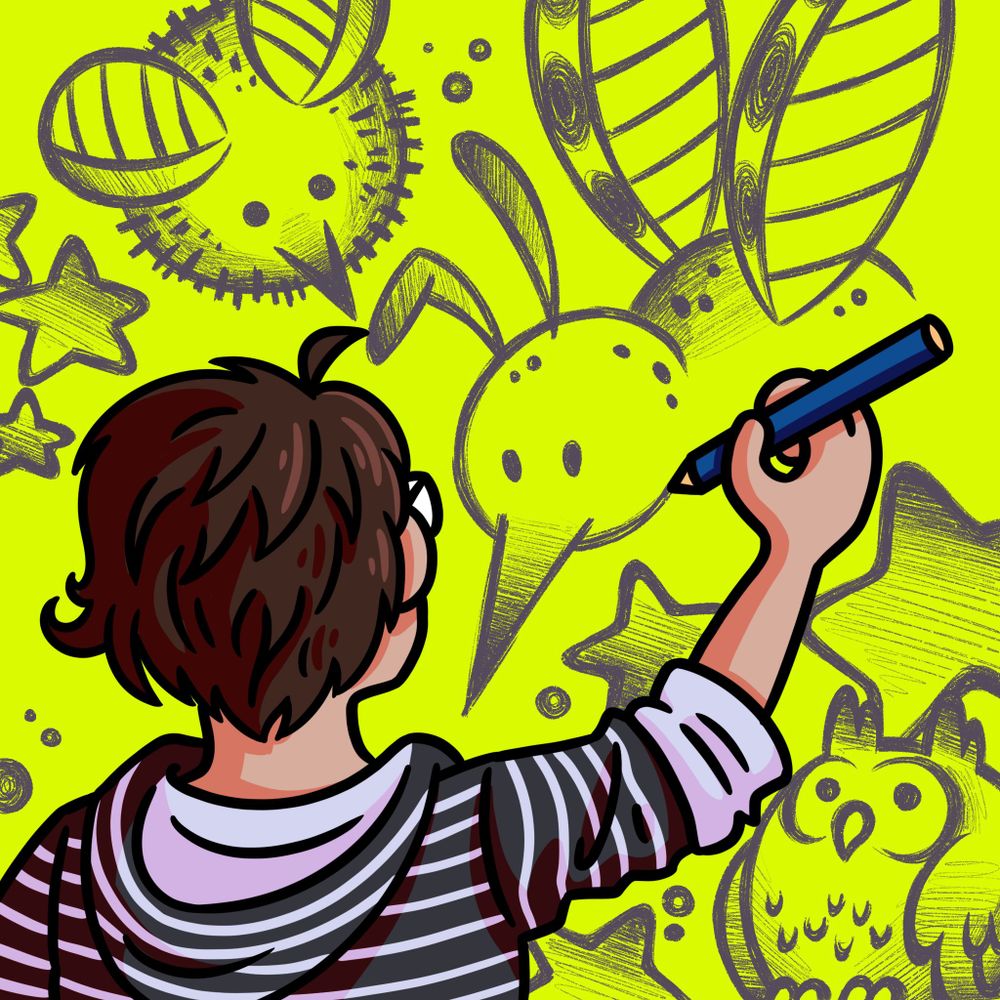
Trans rights are, in fact, human rights. Pass it on. 🏳️⚧️🫂

August 20, 2025 at 3:57 PM
Trans rights are, in fact, human rights. Pass it on. 🏳️⚧️🫂
Reposted by Mage Bunkshelf
Here are the brands and sizes recalled 👇🏻
this is a serious recall. please check your fridge if you buy these brands.
this is a serious recall. please check your fridge if you buy these brands.


January 9, 2026 at 7:43 PM
Here are the brands and sizes recalled 👇🏻
this is a serious recall. please check your fridge if you buy these brands.
this is a serious recall. please check your fridge if you buy these brands.
But if you cut out the cancer what do you replace it with?
January 9, 2026 at 8:17 PM
But if you cut out the cancer what do you replace it with?
Omg I miss proper paella so muchhh ✨
January 9, 2026 at 7:31 PM
Omg I miss proper paella so muchhh ✨
SEE!!
*shines giant spotlight*
*shines giant spotlight*
January 9, 2026 at 7:29 PM
SEE!!
*shines giant spotlight*
*shines giant spotlight*
AYO OMG COOL ARTIST ALARUM
![a Meet the Artist trend illustration of Pali Palilious. on the left are two characters, a winged character [Persona] sits on the back of the other character [Artist]. The text in the top reading left to right is as follows; an arrow reading Persona pointing to the winged character. Meet the Artist '26, Pali @palilious. 3 flags are shown, the American flag, Irish flag, and Demisexual flag. Below the first layer of text reads; 5'5" referring to the Artist's height, 24 referring to her age, she/her pronouns, and a personality type of INFJ. the two boxes below read out Pali's likes and dislikes. Likes read: Sci-fi, Animation, DnD, Pad Thai, Long Youtube Documentaries, abd Birds. The dislike box reads: Boredom, Raw tomatoes, Dry skin, Gatcha Mechanics, Petty Drama, and AI Generators. Four circles on the right show Pali's favorite colors. The next box below has a symbol of a camera and shows Pali's favorite movies; The Secret Life of Walter Mitty, Bullet Train, Spiderman: Into the Spiderverse, and Guardians of the Galaxy Vol. 3. The next box has a music note and shows Pali's favorite Abums: Through the Deep, Dark Valley by The Oh Hellos, Take Me Back to Eden by Sleep Token, Hayfields by Yaelokre and Collide with the Sky by Pierce the Veil. The last box has a video game controller and shows Pali's favorite games; Sonic Colors, Titanfall 2, AI the Somnium Files, and Ori and the Blind Forest. To the left of the games box is a NO AI symbol. To the left of Pali's feet is a box with several items that Pali uses regularly; her tablet, artists glove, stylus, headphones, water bottle, wallet and keys.](https://cdn.bsky.app/img/feed_thumbnail/plain/did:plc:qud4w6yigw3avzubzxwc36ai/bafkreica3sna3hqsurvhbzy6odoku7gbjz7g7tpd7gxtm62frt4p2prjwu@jpeg)
January 9, 2026 at 7:26 PM
AYO OMG COOL ARTIST ALARUM
All the love to you and yours
January 9, 2026 at 7:19 PM
All the love to you and yours
Surgery went great, just recovering now, all good! Just to update & reassure
January 9, 2026 at 7:19 PM
Surgery went great, just recovering now, all good! Just to update & reassure
Reposted by Mage Bunkshelf


I kept getting that repeatedly when I tried to delete two years ago, dont remember what I had to do to get around it but I remember searching online for a solution, there was something I had to do IIRC
January 3, 2026 at 6:28 AM
I kept getting that repeatedly when I tried to delete two years ago, dont remember what I had to do to get around it but I remember searching online for a solution, there was something I had to do IIRC
Microsoft CEO Satya Nadella should move beyond slop
January 3, 2026 at 5:05 AM
Microsoft CEO Satya Nadella should move beyond slop
Oh it may not be exactly +25 for the title bar and +2 for the border, if your display is scaled then those will probably be a bit larger, I took a screenshot to measure in paint .net, but if your monitor is 4k you probably won't need to be pixel perfect for OBS, you can go over
January 3, 2026 at 4:11 AM
Oh it may not be exactly +25 for the title bar and +2 for the border, if your display is scaled then those will probably be a bit larger, I took a screenshot to measure in paint .net, but if your monitor is 4k you probably won't need to be pixel perfect for OBS, you can go over
Then click OK > Apply, and when you go back to Undertale hit the hotkey (CTRL + WIN + Z by default) and it'll give you a popup menu!
Wanted to test it first before recommending it but works pretty good from what I can tell
Wanted to test it first before recommending it but works pretty good from what I can tell
January 3, 2026 at 4:06 AM
Then click OK > Apply, and when you go back to Undertale hit the hotkey (CTRL + WIN + Z by default) and it'll give you a popup menu!
Wanted to test it first before recommending it but works pretty good from what I can tell
Wanted to test it first before recommending it but works pretty good from what I can tell
Edit one of the options and set the res to 1282 x 987
Added +25px height for the window title (on Win10) and +2px on both axes to account for the 1px window border, and this makes the actual game itself a perfect 1280 x 960, exactly x2. Depending on your res you could go x3 or x4 by adding the same
Added +25px height for the window title (on Win10) and +2px on both axes to account for the 1px window border, and this makes the actual game itself a perfect 1280 x 960, exactly x2. Depending on your res you could go x3 or x4 by adding the same

January 3, 2026 at 4:06 AM
Edit one of the options and set the res to 1282 x 987
Added +25px height for the window title (on Win10) and +2px on both axes to account for the 1px window border, and this makes the actual game itself a perfect 1280 x 960, exactly x2. Depending on your res you could go x3 or x4 by adding the same
Added +25px height for the window title (on Win10) and +2px on both axes to account for the 1px window border, and this makes the actual game itself a perfect 1280 x 960, exactly x2. Depending on your res you could go x3 or x4 by adding the same
Here's Undertale running windowed at x2 res using Sizer. Sizer seems to count the window banner and Windows' 1px border so you need to add a little extra to account, but I got the game here to 1280 x 960 perfectly here as example;
It keeps ratio so if your display res is huge you're probably fine
It keeps ratio so if your display res is huge you're probably fine

January 3, 2026 at 4:06 AM
Here's Undertale running windowed at x2 res using Sizer. Sizer seems to count the window banner and Windows' 1px border so you need to add a little extra to account, but I got the game here to 1280 x 960 perfectly here as example;
It keeps ratio so if your display res is huge you're probably fine
It keeps ratio so if your display res is huge you're probably fine
Worth checking if there's a few frames of delay on OBS's monitor though.
Alternatively I found this little program recommended on a thread asking the same thing, called Sizer 4: www.brianapps.net/sizer4/
Downloaded to test it myself and it works on Undertale;
Alternatively I found this little program recommended on a thread asking the same thing, called Sizer 4: www.brianapps.net/sizer4/
Downloaded to test it myself and it works on Undertale;
January 3, 2026 at 4:06 AM
Worth checking if there's a few frames of delay on OBS's monitor though.
Alternatively I found this little program recommended on a thread asking the same thing, called Sizer 4: www.brianapps.net/sizer4/
Downloaded to test it myself and it works on Undertale;
Alternatively I found this little program recommended on a thread asking the same thing, called Sizer 4: www.brianapps.net/sizer4/
Downloaded to test it myself and it works on Undertale;
If you captured the window in OBS and point scaled it up, maybe you could fill your display with OBS and watch the game through there? I've done it before with GB games, though you may need it in the corner of your screen to keep it on top and reading your keyboard. (1/5)
January 3, 2026 at 4:06 AM
If you captured the window in OBS and point scaled it up, maybe you could fill your display with OBS and watch the game through there? I've done it before with GB games, though you may need it in the corner of your screen to keep it on top and reading your keyboard. (1/5)
Ohhh I gotcha, I see what you mean
Is it okay if I bring up an idea or two?
Is it okay if I bring up an idea or two?
January 2, 2026 at 11:40 PM
Ohhh I gotcha, I see what you mean
Is it okay if I bring up an idea or two?
Is it okay if I bring up an idea or two?
Does fullscreen not work on your end?
January 2, 2026 at 10:59 PM
Does fullscreen not work on your end?
Reposted by Mage Bunkshelf

comms open officially on monday! patrons have access to sign up right now!

January 2, 2026 at 7:35 AM
comms open officially on monday! patrons have access to sign up right now!