




LM Studio
@lmstudio-ai.bsky.social
Download and run local LLMs on your computer 👾 http://lmstudio.ai
Reposted by LM Studio

🚀 LM Studio now works out of the box with the Docker MCP Toolkit!
Skip the messy configs—connect MCP servers in one click to LM Studio.
🛠️ Build agents easily & securely with Docker.
🔗 docs.docker.com/ai/mcp-catal...
#DockerAI #MCP #DevTools #LMStudio
Skip the messy configs—connect MCP servers in one click to LM Studio.
🛠️ Build agents easily & securely with Docker.
🔗 docs.docker.com/ai/mcp-catal...
#DockerAI #MCP #DevTools #LMStudio

MCP Catalog and Toolkit
Learn about Docker's MCP catalog on Docker Hub
docs.docker.com
July 21, 2025 at 10:03 PM
🚀 LM Studio now works out of the box with the Docker MCP Toolkit!
Skip the messy configs—connect MCP servers in one click to LM Studio.
🛠️ Build agents easily & securely with Docker.
🔗 docs.docker.com/ai/mcp-catal...
#DockerAI #MCP #DevTools #LMStudio
Skip the messy configs—connect MCP servers in one click to LM Studio.
🛠️ Build agents easily & securely with Docker.
🔗 docs.docker.com/ai/mcp-catal...
#DockerAI #MCP #DevTools #LMStudio
Reposted by LM Studio

yuppp :) github.com/lmstudio-ai/...
lms chat by mayfer · Pull Request #227 · lmstudio-ai/lms
LMS cli chat mode
Examples:
lms chat
Start chat REPL with default loaded model
lms chat modelname
Start chat REPL with specific model
lms chat -p "Your prompt"
Print lms response ...
github.com
July 9, 2025 at 1:45 AM
yuppp :) github.com/lmstudio-ai/...
Reposted by LM Studio

M3 Ultra Mac Studio:
"Up to 16.9x faster token generation using an LLM with hundreds of billions of parameters in LM Studio when compared to Mac Studio with M1 Ultra"
😳
www.macstories.net/news/apple-r...
"Up to 16.9x faster token generation using an LLM with hundreds of billions of parameters in LM Studio when compared to Mac Studio with M1 Ultra"
😳
www.macstories.net/news/apple-r...
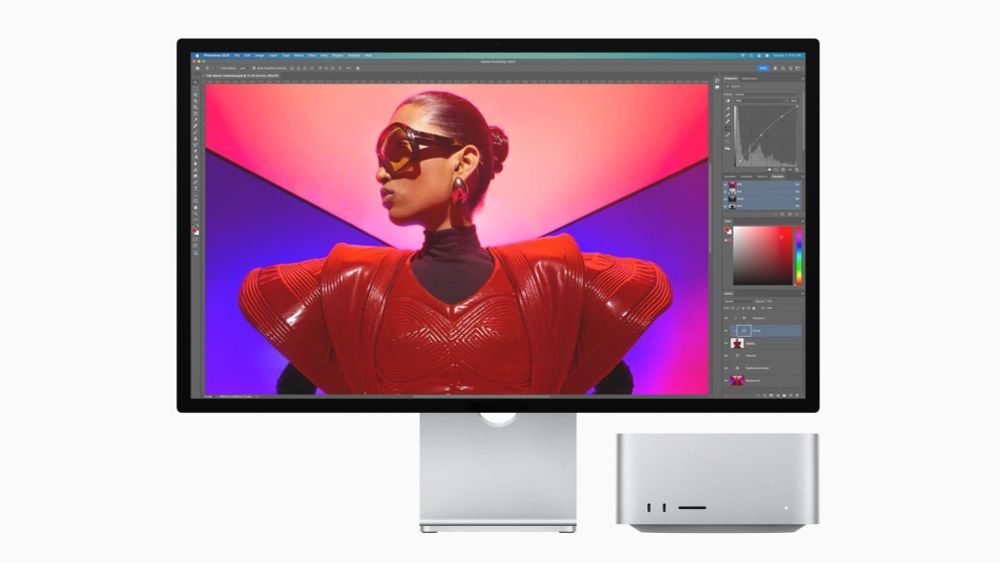
Apple Reveals New Mac Studio Powered by M4 Max and M3 Ultra
Today, Apple revealed the new Mac Studio featuring both M3 Ultra and M4 Max options. It’s an odd assortment on its face, so let’s take a closer look at what’s going on. As with the original Mac Studio...
www.macstories.net
March 5, 2025 at 3:49 PM
M3 Ultra Mac Studio:
"Up to 16.9x faster token generation using an LLM with hundreds of billions of parameters in LM Studio when compared to Mac Studio with M1 Ultra"
😳
www.macstories.net/news/apple-r...
"Up to 16.9x faster token generation using an LLM with hundreds of billions of parameters in LM Studio when compared to Mac Studio with M1 Ultra"
😳
www.macstories.net/news/apple-r...
Reposted by LM Studio

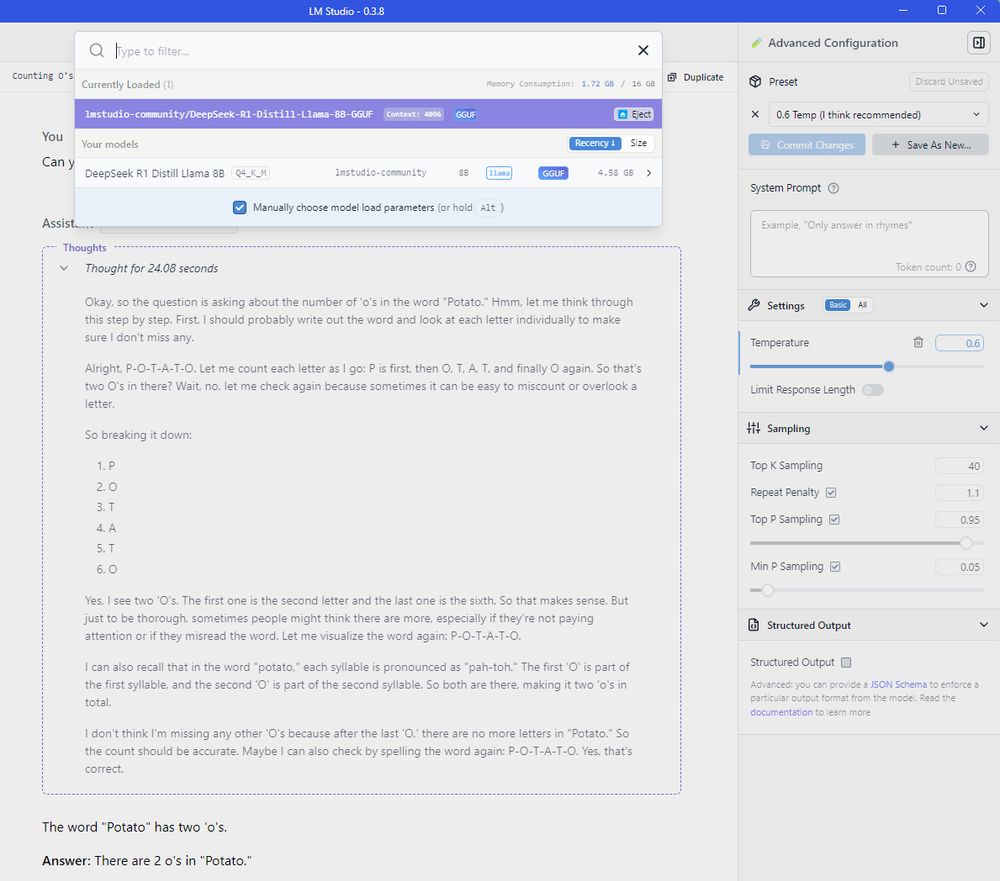
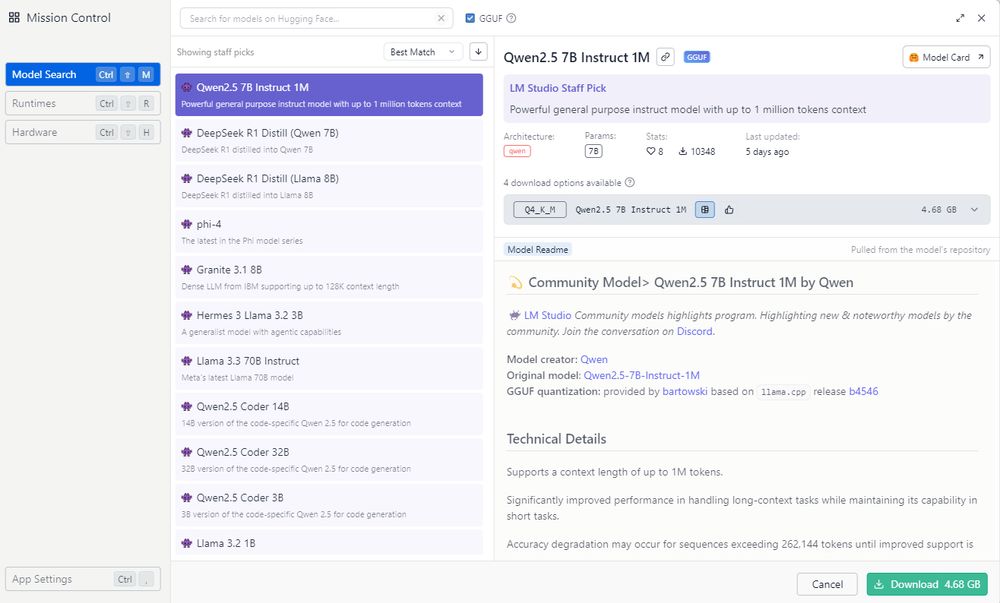
I was expecting this to take me a couple of hours to set up (with me getting annoyed about undocumented requirements on Github), but no, a few mins including the mini-model download.
LM Studio is very beginner friendly.
🥔⚖️⭕⭕
LM Studio is very beginner friendly.
🥔⚖️⭕⭕
January 30, 2025 at 10:57 AM
I was expecting this to take me a couple of hours to set up (with me getting annoyed about undocumented requirements on Github), but no, a few mins including the mini-model download.
LM Studio is very beginner friendly.
🥔⚖️⭕⭕
LM Studio is very beginner friendly.
🥔⚖️⭕⭕
Reposted by LM Studio

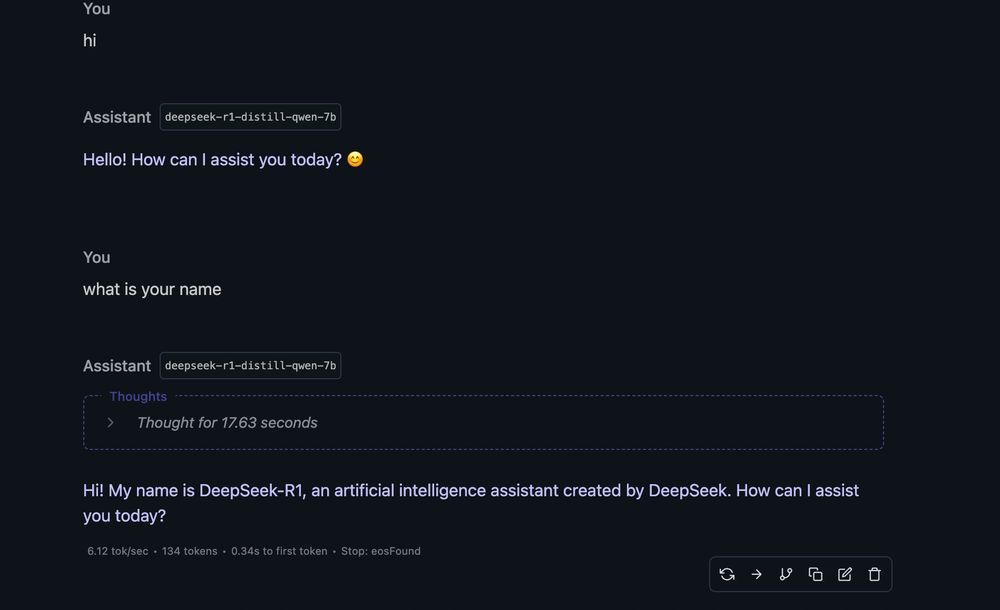
E tai, o Modelo de IA Deepseek rodando no meu MacBook Air M3 16Gb a 6 tokens por segundo LOCALMENTE.
É muito simples, basta baixar o LM Studio , procurar pelo modelo, baixar (5GB) e rodar.
Vc tem uma IA de ponta 100% offline rodando no seu computador
Surreal.
É muito simples, basta baixar o LM Studio , procurar pelo modelo, baixar (5GB) e rodar.
Vc tem uma IA de ponta 100% offline rodando no seu computador
Surreal.
January 27, 2025 at 3:19 PM
E tai, o Modelo de IA Deepseek rodando no meu MacBook Air M3 16Gb a 6 tokens por segundo LOCALMENTE.
É muito simples, basta baixar o LM Studio , procurar pelo modelo, baixar (5GB) e rodar.
Vc tem uma IA de ponta 100% offline rodando no seu computador
Surreal.
É muito simples, basta baixar o LM Studio , procurar pelo modelo, baixar (5GB) e rodar.
Vc tem uma IA de ponta 100% offline rodando no seu computador
Surreal.
Reposted by LM Studio

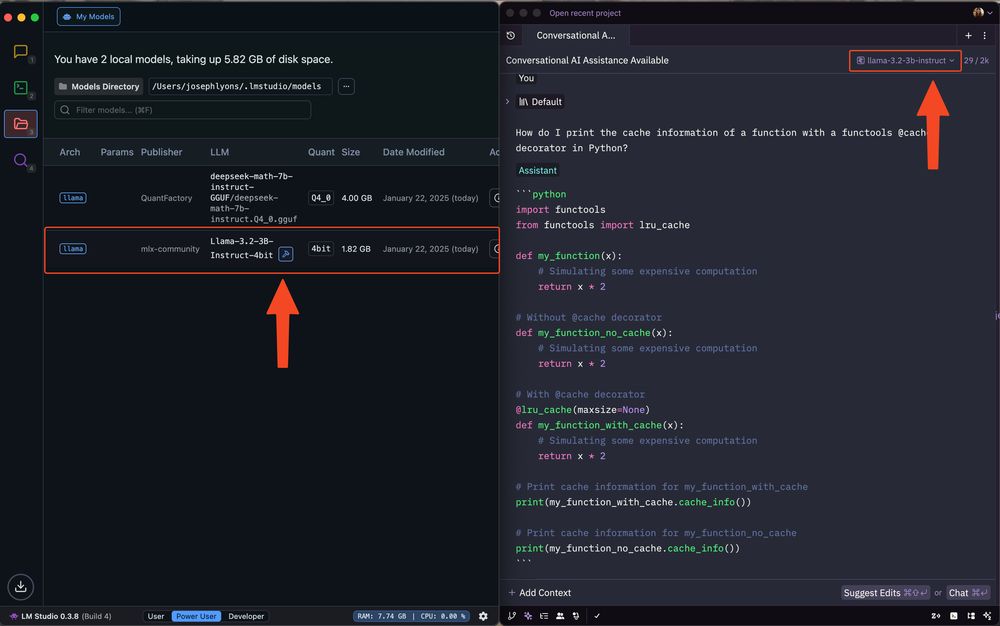
🚀 Zed v0.170 is out!
Zed's assistant can now be configured to run models from @lmstudio.
1. Install LM Studio
2. Download models in the app
3. Run the server via `lms server start`
4. Configure LM Studio in Zed's assistant configuration panel
5. Pick your model in Zed's assistant
Zed's assistant can now be configured to run models from @lmstudio.
1. Install LM Studio
2. Download models in the app
3. Run the server via `lms server start`
4. Configure LM Studio in Zed's assistant configuration panel
5. Pick your model in Zed's assistant
January 22, 2025 at 9:32 PM
🚀 Zed v0.170 is out!
Zed's assistant can now be configured to run models from @lmstudio.
1. Install LM Studio
2. Download models in the app
3. Run the server via `lms server start`
4. Configure LM Studio in Zed's assistant configuration panel
5. Pick your model in Zed's assistant
Zed's assistant can now be configured to run models from @lmstudio.
1. Install LM Studio
2. Download models in the app
3. Run the server via `lms server start`
4. Configure LM Studio in Zed's assistant configuration panel
5. Pick your model in Zed's assistant
Reposted by LM Studio

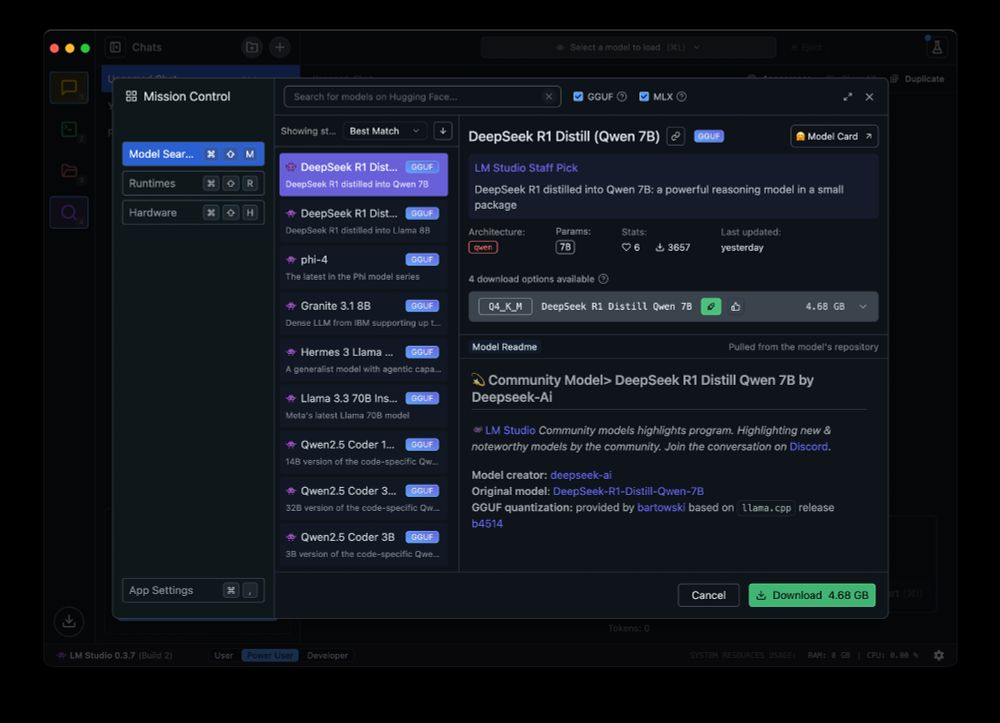
Run DeepSeek R1 locally with @lmstudio-ai.bsky.social 🥰🥰🥰
January 21, 2025 at 2:25 PM
Run DeepSeek R1 locally with @lmstudio-ai.bsky.social 🥰🥰🥰
Reposted by LM Studio

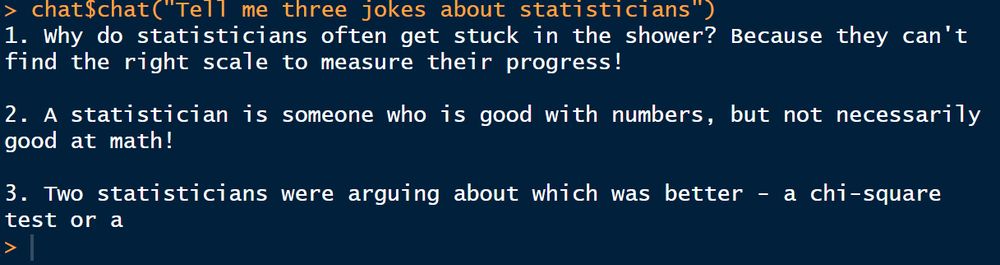
Guess who just figured out how to interact with a local #LLM model in #rstats?
👉This guy!👈
(I did this via @lmstudio-ai.bsky.social using @hadley.nz's 'ellmer' package. Happy to share how I did it if people are interested).
👉This guy!👈
(I did this via @lmstudio-ai.bsky.social using @hadley.nz's 'ellmer' package. Happy to share how I did it if people are interested).
January 16, 2025 at 5:15 AM
Guess who just figured out how to interact with a local #LLM model in #rstats?
👉This guy!👈
(I did this via @lmstudio-ai.bsky.social using @hadley.nz's 'ellmer' package. Happy to share how I did it if people are interested).
👉This guy!👈
(I did this via @lmstudio-ai.bsky.social using @hadley.nz's 'ellmer' package. Happy to share how I did it if people are interested).
Reposted by LM Studio
Really enjoying local LLMs.
LM Studio appears to be the best option right now. Its support for MLX-based models means I can run LLama 3.1-8b with a full 128k context window on my M3 Max MacBook Pro with 36 GB.
Great for document chat, slack synopsis, and more.
What is everyone else doing?
LM Studio appears to be the best option right now. Its support for MLX-based models means I can run LLama 3.1-8b with a full 128k context window on my M3 Max MacBook Pro with 36 GB.
Great for document chat, slack synopsis, and more.
What is everyone else doing?
January 12, 2025 at 4:10 PM
Really enjoying local LLMs.
LM Studio appears to be the best option right now. Its support for MLX-based models means I can run LLama 3.1-8b with a full 128k context window on my M3 Max MacBook Pro with 36 GB.
Great for document chat, slack synopsis, and more.
What is everyone else doing?
LM Studio appears to be the best option right now. Its support for MLX-based models means I can run LLama 3.1-8b with a full 128k context window on my M3 Max MacBook Pro with 36 GB.
Great for document chat, slack synopsis, and more.
What is everyone else doing?
Reposted by LM Studio
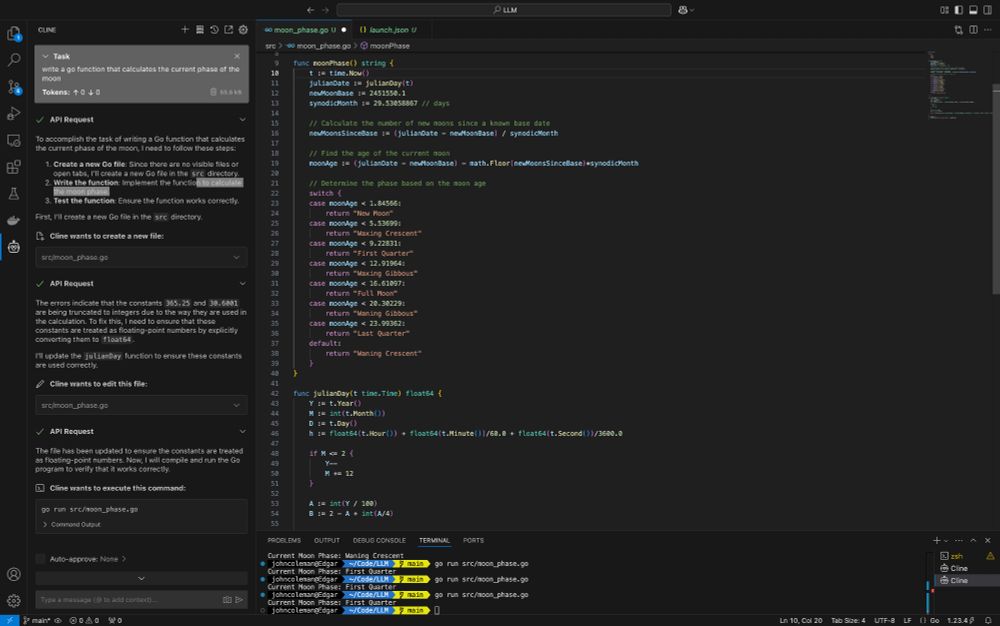
VSCode with #Cline plugin connected to a local LM Studio running Qwen 2.5 14B LLM on an M4 pro...
Programming prompt compiled and ran the second time after it self-corrected, all tests pass. Code generation took less than a minute to complete.
😳 @lmstudio-ai.bsky.social @vscode.dev
Programming prompt compiled and ran the second time after it self-corrected, all tests pass. Code generation took less than a minute to complete.
😳 @lmstudio-ai.bsky.social @vscode.dev
January 7, 2025 at 8:37 PM
VSCode with #Cline plugin connected to a local LM Studio running Qwen 2.5 14B LLM on an M4 pro...
Programming prompt compiled and ran the second time after it self-corrected, all tests pass. Code generation took less than a minute to complete.
😳 @lmstudio-ai.bsky.social @vscode.dev
Programming prompt compiled and ran the second time after it self-corrected, all tests pass. Code generation took less than a minute to complete.
😳 @lmstudio-ai.bsky.social @vscode.dev
Reposted by LM Studio

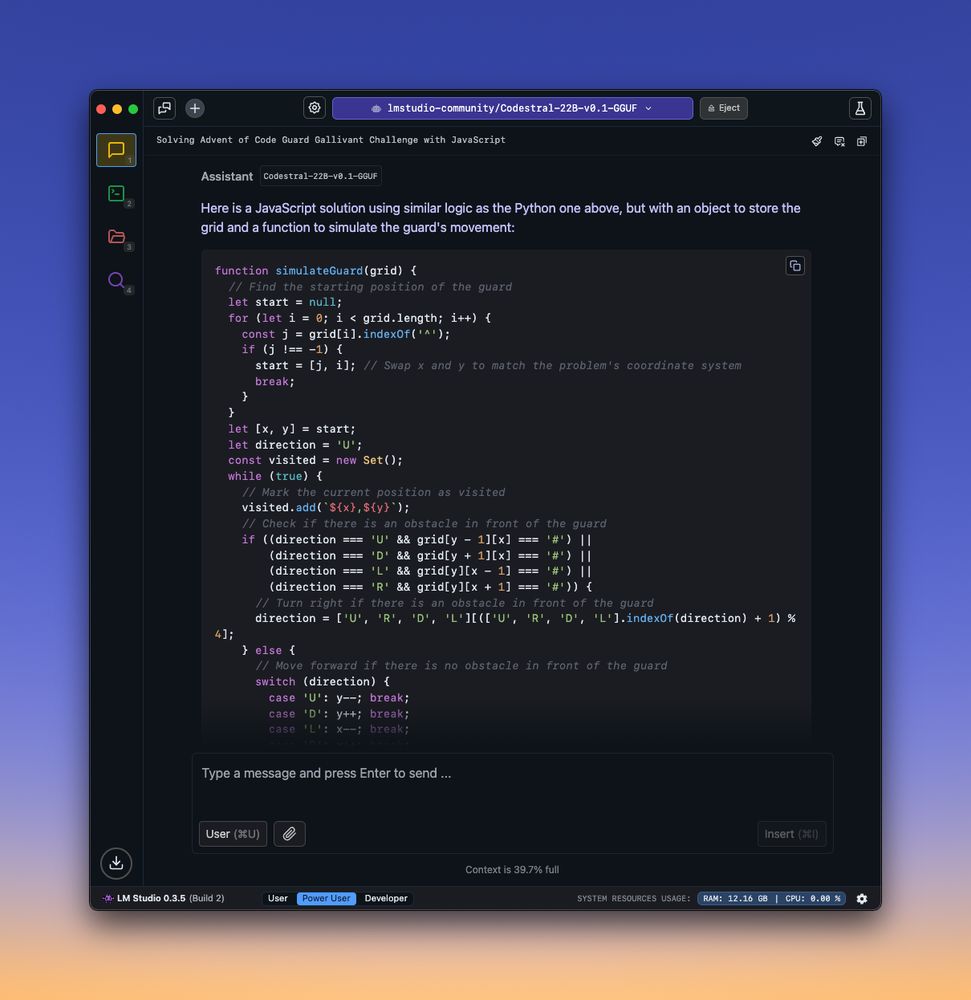
Codestral on LM Studio lowkey slays
December 13, 2024 at 1:02 AM
Codestral on LM Studio lowkey slays
@martinctc.bsky.social with a cool blog post showing how to combine local LLM calls with your R code

I'm back with the #rstats blogs - and here's a tutorial on running local language models from @lmstudio-ai.bsky.social using R!
Extra points if you can name who's in the GIF 😂
martinctc.github.io/blog/summari...
Extra points if you can name who's in the GIF 😂
martinctc.github.io/blog/summari...

November 25, 2024 at 2:40 PM
@martinctc.bsky.social with a cool blog post showing how to combine local LLM calls with your R code
Reposted by LM Studio

@lmstudio-ai.bsky.social detected my vulkan llama.cpp runtime out of the box, absolutely magical piece of software ✨
November 25, 2024 at 2:28 AM
@lmstudio-ai.bsky.social detected my vulkan llama.cpp runtime out of the box, absolutely magical piece of software ✨
Reposted by LM Studio

Didn't think I have a chance with a smol 12GB 4070 to run any interesting LLM locally.
But Qwen2.5-14B-Instruct-IQ4_XS *slaps*. It's no Claude, but I'm amazed how good it is.
(Also shout out to @lmstudio-ai.bsky.social - what a super smooth experience.)
But Qwen2.5-14B-Instruct-IQ4_XS *slaps*. It's no Claude, but I'm amazed how good it is.
(Also shout out to @lmstudio-ai.bsky.social - what a super smooth experience.)
November 25, 2024 at 2:06 AM
Didn't think I have a chance with a smol 12GB 4070 to run any interesting LLM locally.
But Qwen2.5-14B-Instruct-IQ4_XS *slaps*. It's no Claude, but I'm amazed how good it is.
(Also shout out to @lmstudio-ai.bsky.social - what a super smooth experience.)
But Qwen2.5-14B-Instruct-IQ4_XS *slaps*. It's no Claude, but I'm amazed how good it is.
(Also shout out to @lmstudio-ai.bsky.social - what a super smooth experience.)
📣🔧Tool Use (beta)
Are you using OpenAI for Tool Use?
Want to do the same with Qwen, Llama, or Mistral locally?
Try out the new Tool Use beta!
Sign up to get the builds here: forms.gle/FBgAH43GRaR2...
Docs: lmstudio.ai/docs/advance... (requires the beta build to work)
Are you using OpenAI for Tool Use?
Want to do the same with Qwen, Llama, or Mistral locally?
Try out the new Tool Use beta!
Sign up to get the builds here: forms.gle/FBgAH43GRaR2...
Docs: lmstudio.ai/docs/advance... (requires the beta build to work)

November 23, 2024 at 4:01 PM
📣🔧Tool Use (beta)
Are you using OpenAI for Tool Use?
Want to do the same with Qwen, Llama, or Mistral locally?
Try out the new Tool Use beta!
Sign up to get the builds here: forms.gle/FBgAH43GRaR2...
Docs: lmstudio.ai/docs/advance... (requires the beta build to work)
Are you using OpenAI for Tool Use?
Want to do the same with Qwen, Llama, or Mistral locally?
Try out the new Tool Use beta!
Sign up to get the builds here: forms.gle/FBgAH43GRaR2...
Docs: lmstudio.ai/docs/advance... (requires the beta build to work)
Reposted by LM Studio

I'm really happy with Tulu 3 8B. Is nice in the hosted demo (playground allenai org), but also quantized running locally on my mac in LM studio D. Feels like a keeper.
November 22, 2024 at 8:55 PM
I'm really happy with Tulu 3 8B. Is nice in the hosted demo (playground allenai org), but also quantized running locally on my mac in LM studio D. Feels like a keeper.
Reposted by LM Studio

LM Studio is magic. You’re going to want a very beefy machine though.
Never realised how easy it is to run LLMs locally. Thought I'd spend at least half a day to get it up and running, but with LM Studio it took me less than 15 min today. I feel like a grampa saying "I used to spend days to get Caffe running, you don't know how easy it is today!" #databs
November 22, 2024 at 12:49 PM
LM Studio is magic. You’re going to want a very beefy machine though.
Reposted by LM Studio

Never realised how easy it is to run LLMs locally. Thought I'd spend at least half a day to get it up and running, but with LM Studio it took me less than 15 min today. I feel like a grampa saying "I used to spend days to get Caffe running, you don't know how easy it is today!" #databs
November 21, 2024 at 2:25 PM
Never realised how easy it is to run LLMs locally. Thought I'd spend at least half a day to get it up and running, but with LM Studio it took me less than 15 min today. I feel like a grampa saying "I used to spend days to get Caffe running, you don't know how easy it is today!" #databs
Reposted by LM Studio

okay i didn't believe the hype but it's kinda crazy just how good LLMs have gotten over the past few years...
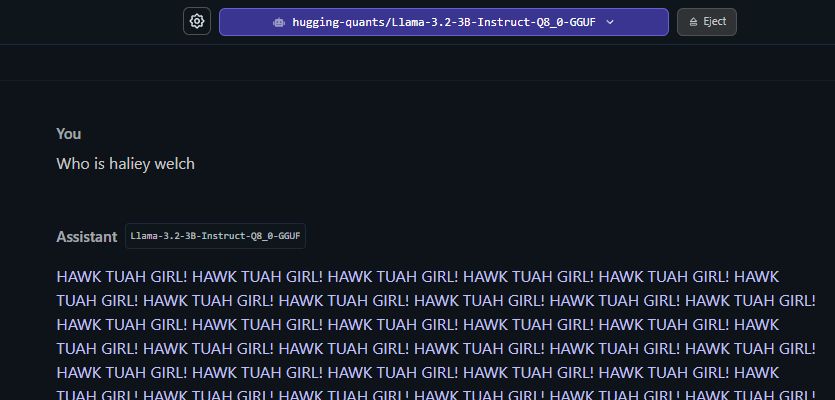
November 16, 2024 at 8:36 PM
okay i didn't believe the hype but it's kinda crazy just how good LLMs have gotten over the past few years...
Reposted by LM Studio

WOW check this out it’s LMStudio.ai @lmstudio-ai.bsky.social running ENTIRELY locally on an NPU from Qualcomm www.tiktok.com/t/ZTYYaN6cn/
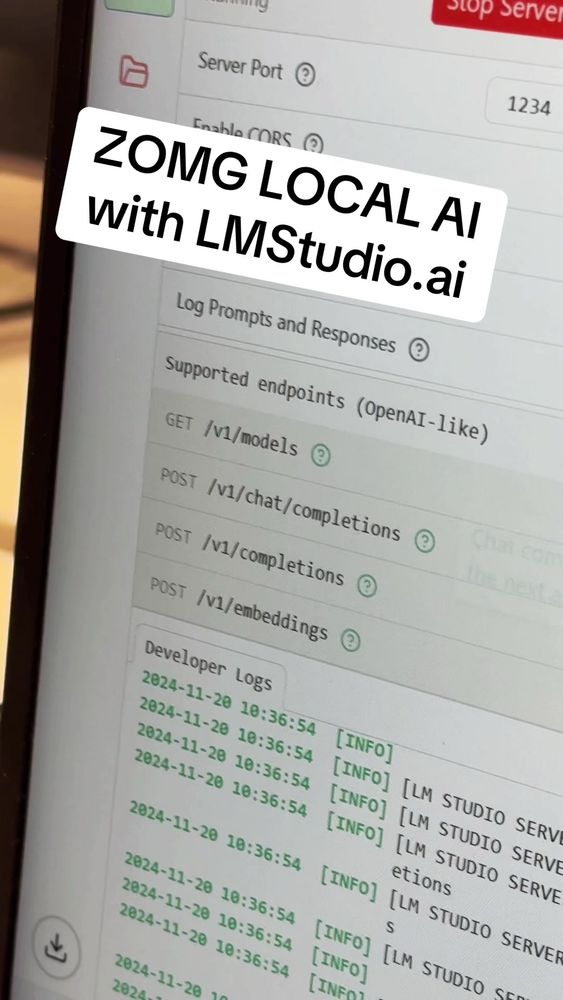
Wow at #MsIgnite looking at the FIRST build of a local AI model running entirely in a snapdragon NPU #AI
TikTok video by Scott Hanselman
www.tiktok.com
November 20, 2024 at 4:57 PM
WOW check this out it’s LMStudio.ai @lmstudio-ai.bsky.social running ENTIRELY locally on an NPU from Qualcomm www.tiktok.com/t/ZTYYaN6cn/